
Mautic Integration for WooCommerce
Personal
Great for store owners looking to automate their WooCommerce marketing.
-
License for 1 Site
-
1 year of updates
-
1 year of updates
-
1 year of Priority Support
Freelancer
Ideal for freelancers and agencies managing multiple client stores.
-
License for 5 Sites
-
1 year of updates
-
1 year of updates
-
1 year of Priority Support
Agency
Perfect for agencies and developers managing large WooCommerce portfolios.
-
License for 25 Site
-
1 year of updates
-
1 year of updates
-
1 year of Priority Support
Frequently Asked Questions
Do I need coding skills to set this up?
Not at all! The plugin has a clean, intuitive settings page right inside WooCommerce. Just enter your Mautic URL, choose Basic Auth or OAuth2, and you're connected. Every feature is configured through checkboxes and text fields, no code required.
What kind of support do you offer?
We offer support over email or via our help desk ticketing system. You may also reach us over live chat when we are online.
Can I transfer my license to another domain?
Of course! You can activate or deactivate a license from the plugin admin panel at any time. You can also manage your license keys directly from your freemius account.
Can I get a discount at renewal?
Sure! Send us a message and we will process a discount so you can keep enjoying our plugin and reaping the functionalities.
Can I upgrade to a higher plan?
Yes you can. You can upgrade, downgrade etc, right from the plugin admin panel on your website. At the time you make a plugin purchase, you will get access to our licensing partner platform, you can also log in there to manage your license. It's a win win!
Does this work with self-hosted Mautic only?
Yes, this plugin connects to your own self-hosted Mautic instance via its REST API. It supports both Basic Authentication and OAuth2 for a secure connection. You have full control over your marketing data.
Features and Screenshots
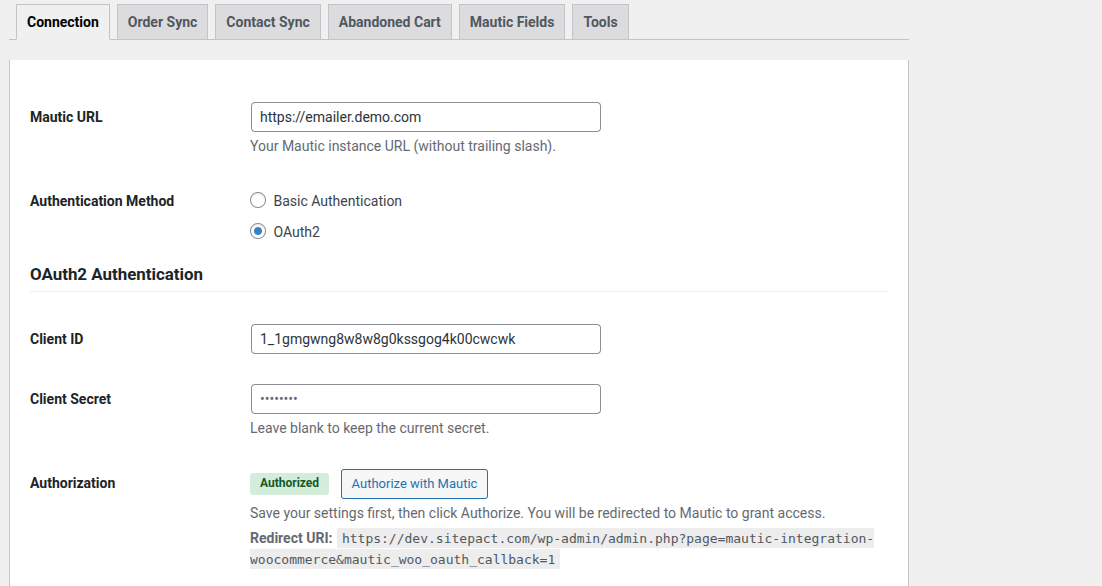
Easy Mautic Connection Setup
Connect your WooCommerce store to Mautic in under a minute. Enter your Mautic URL, choose between Basic Authentication or OAuth2, and hit "Test Connection" to verify instantly. The plugin supports the full OAuth2 authorization code flow with automatic token refresh, so once you're connected, you stay connected. All credentials are encrypted with AES-256-CBC using your WordPress security keys, ensuring your Mautic API access is always secure.
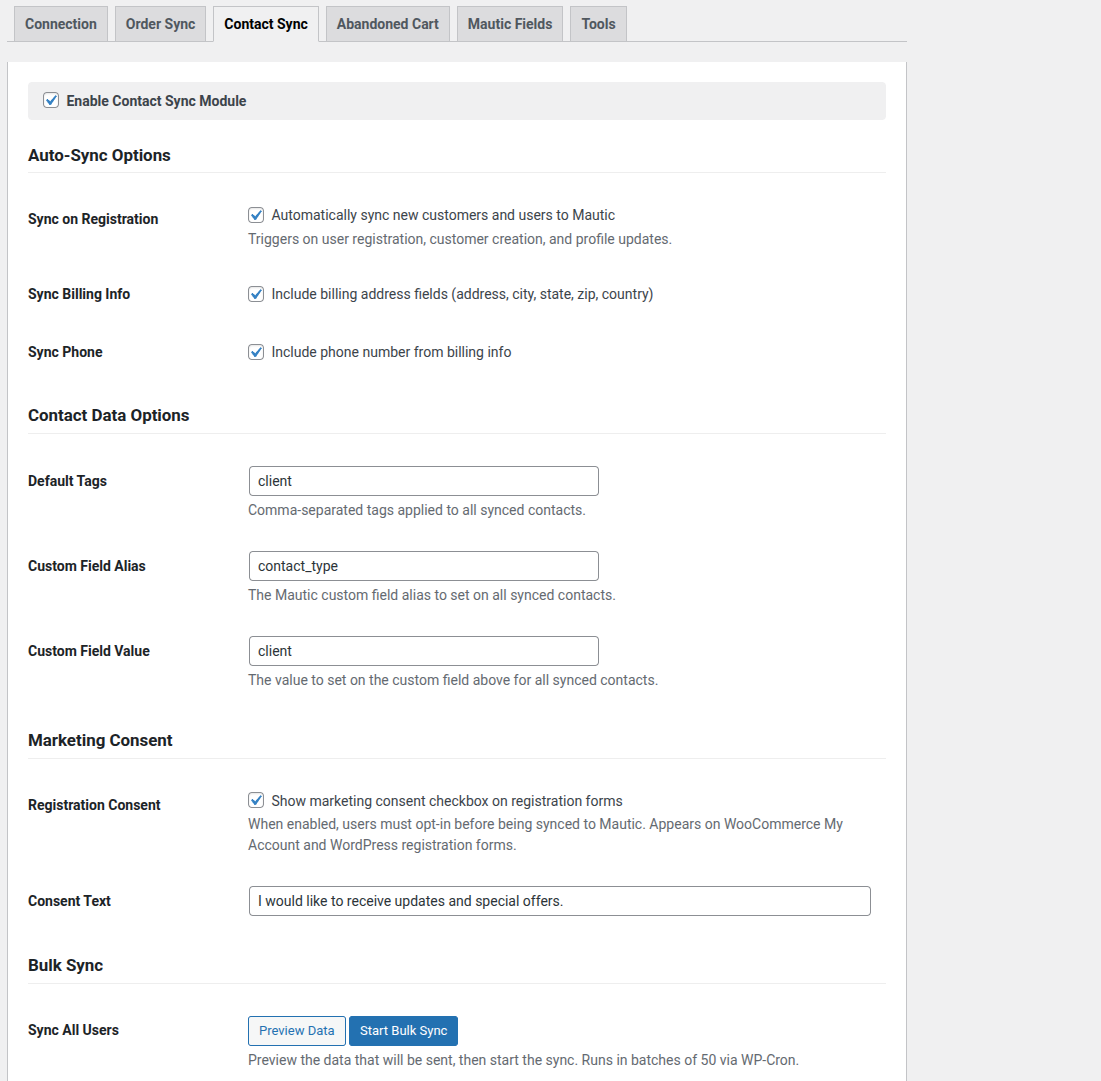
Automatic Contact Sync
Automatically sync your WooCommerce customers to Mautic contacts the moment they register or update their profile. The plugin maps first name, last name, email, phone, billing address, city, state, country, and zip code to their corresponding Mautic fields, with full control over which fields to include. Add default tags to every synced contact for easy segmentation. Need to sync your existing customer base? Use the built-in Bulk Sync tool to process all users in batches of 50 via WP-Cron, with a real-time progress bar and data preview before you start.
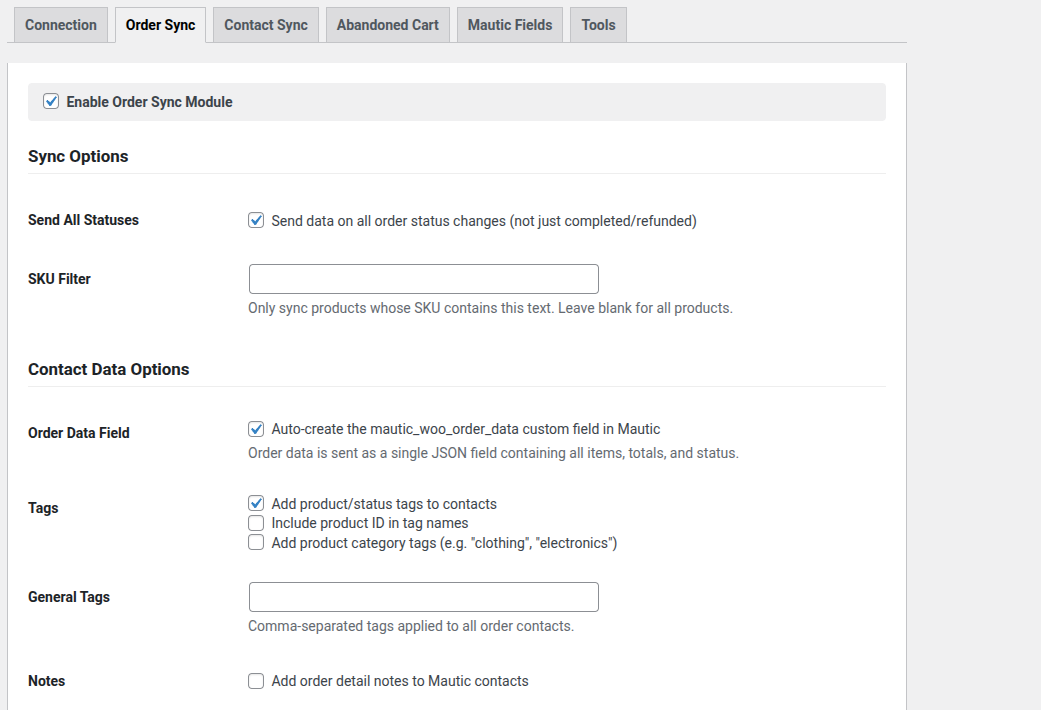
Order Data Intelligence
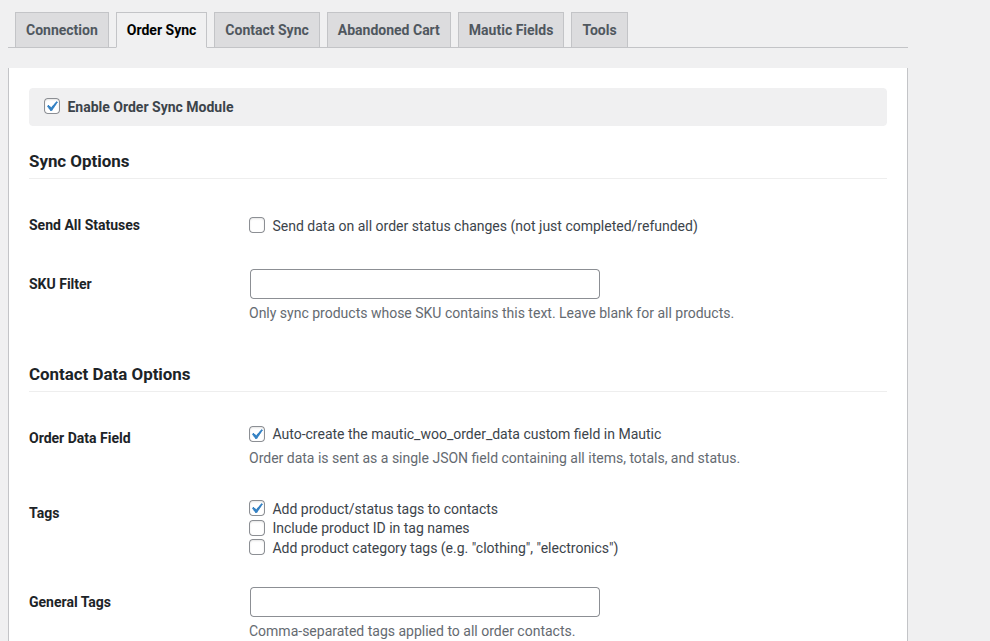
Push rich order data to Mautic every time an order status changes. The plugin sends a single JSON payload containing all order items, SKUs, prices, quantities, coupons used, discount totals, and payment method, stored in a custom Mautic field for use in email templates and campaign decisions. Track customer lifetime value with automatically updated Total Spent and Order Count fields. Apply product-based tags, category tags, and custom general tags to contacts for powerful segmentation. Optionally add detailed order notes to Mautic contacts and filter sync by SKU to target specific products.

Abandoned Cart Recovery
Capture abandoned carts at checkout and automatically sync them to Mautic for recovery campaigns. When a customer enters their email at checkout, the plugin captures their cart contents, total, and product names. After a configurable timeout (default: 60 minutes), the cart is marked as abandoned and synced to Mautic with a unique recovery URL. When the customer clicks the recovery link from your Mautic email, their cart is instantly restored and they're redirected straight to checkout. The plugin respects GDPR with an optional consent checkbox, or you can enable silent capture for regions where explicit consent isn't required. When a recovered customer completes their order, the plugin automatically applies a "recovered cart" tag in Mautic and clears the abandoned cart data.

Recovery Coupons
Boost your cart recovery rate with automatically generated discount coupons. When enabled, the plugin creates a unique percentage-discount WooCommerce coupon for every abandoned cart, restricted to the customer's email, limited to single use, and set to expire after 7 days (expiration configurable). The coupon code is sent to Mautic as a custom field, ready to use in your recovery email templates with the {contactfield=mautic_woo_coupon_code} token. When the customer clicks the recovery link, the coupon is automatically applied to their restored cart at checkout. Configure the discount percentage (1-100%) and set an optional minimum cart value to protect your margins.
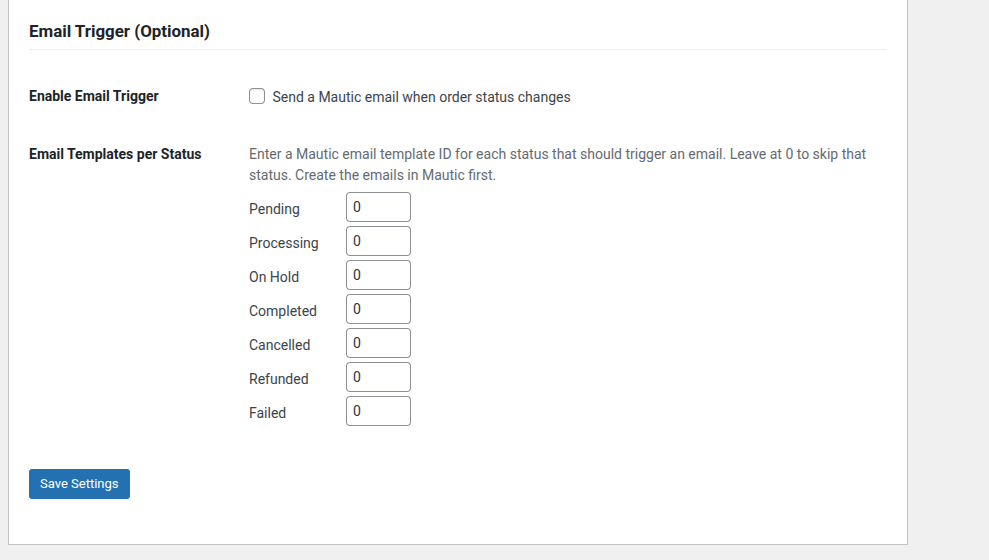
Email Triggers by Order Status
Trigger Mautic transactional emails automatically when order statuses change. Map each WooCommerce order status to a specific Mautic email template ID, so a "completed" order can send a thank-you email, a "refunded" order can trigger a win-back campaign, and a "failed" order can prompt a payment retry. Each email is sent with dynamic tokens containing order details (order ID, status, total, currency, payment method) and product data (name, SKU, price, type), giving you full control over personalized email content directly from Mautic's email builder.

Mautic Fields Management
The plugin uses six custom fields in Mautic to store order data, abandoned cart information, recovery URLs, lifetime value metrics, and coupon codes. The Mautic Fields tab lets you verify which fields exist in your Mautic instance with a single click, and create any missing ones instantly, no need to manually configure fields in Mautic. Fields can also be auto-created during the first sync if you prefer a fully hands-off setup.
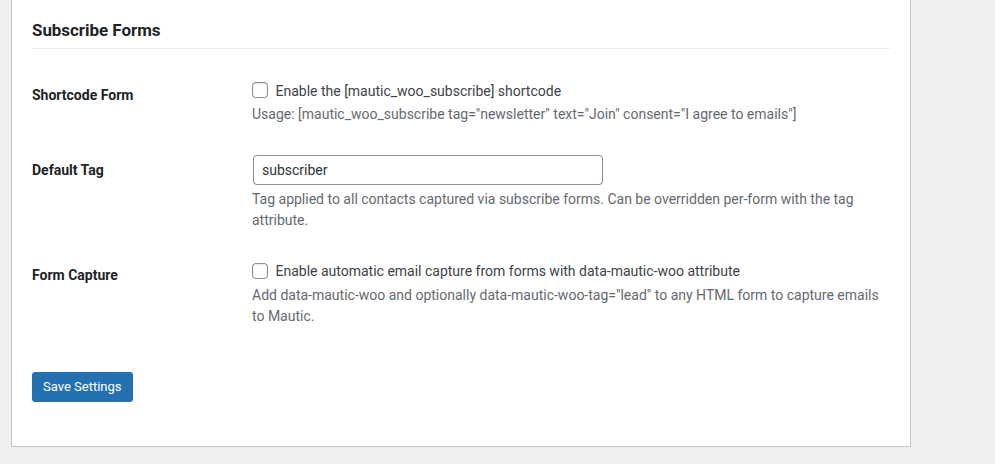
Subscribe Forms & Email Capture
Grow your Mautic contact list with a built-in subscribe form shortcode and automatic email capture. Use [mautic_woo_subscribe] anywhere on your site, customize the button text, placeholder, tag, and add an optional consent checkbox. For existing forms, simply add the data-mautic-woo attribute and the plugin will silently capture email submissions to Mautic using a lightweight, non-blocking JavaScript snippet. Both methods support custom Mautic tags so you can segment subscribers from day one.
WooCommerce Subscriptions Support
If you use WooCommerce Subscriptions, the plugin automatically detects subscription products and syncs their status changes separately. When a subscription is activated, cancelled, or updated, the plugin sends the subscription data to Mautic with the parent order details, subscription ID, and status, enabling you to build targeted campaigns for subscription lifecycle events like renewals, cancellations, and upgrades.
Like Our Plugin?
We stand behind the integrity of our plugin and will do our best to provide great support to all our customers.
I would like to request plugin support
Feel free to reach out if you need support using our plugin. We will reply via our help desk over email. We look forward to hearing from you whether you have the FREE or PRO versions of our plugin